13.11.2025 | Peter Gerken

Twig debugging via IDE Breakpoint in PHPStorm with Drupal
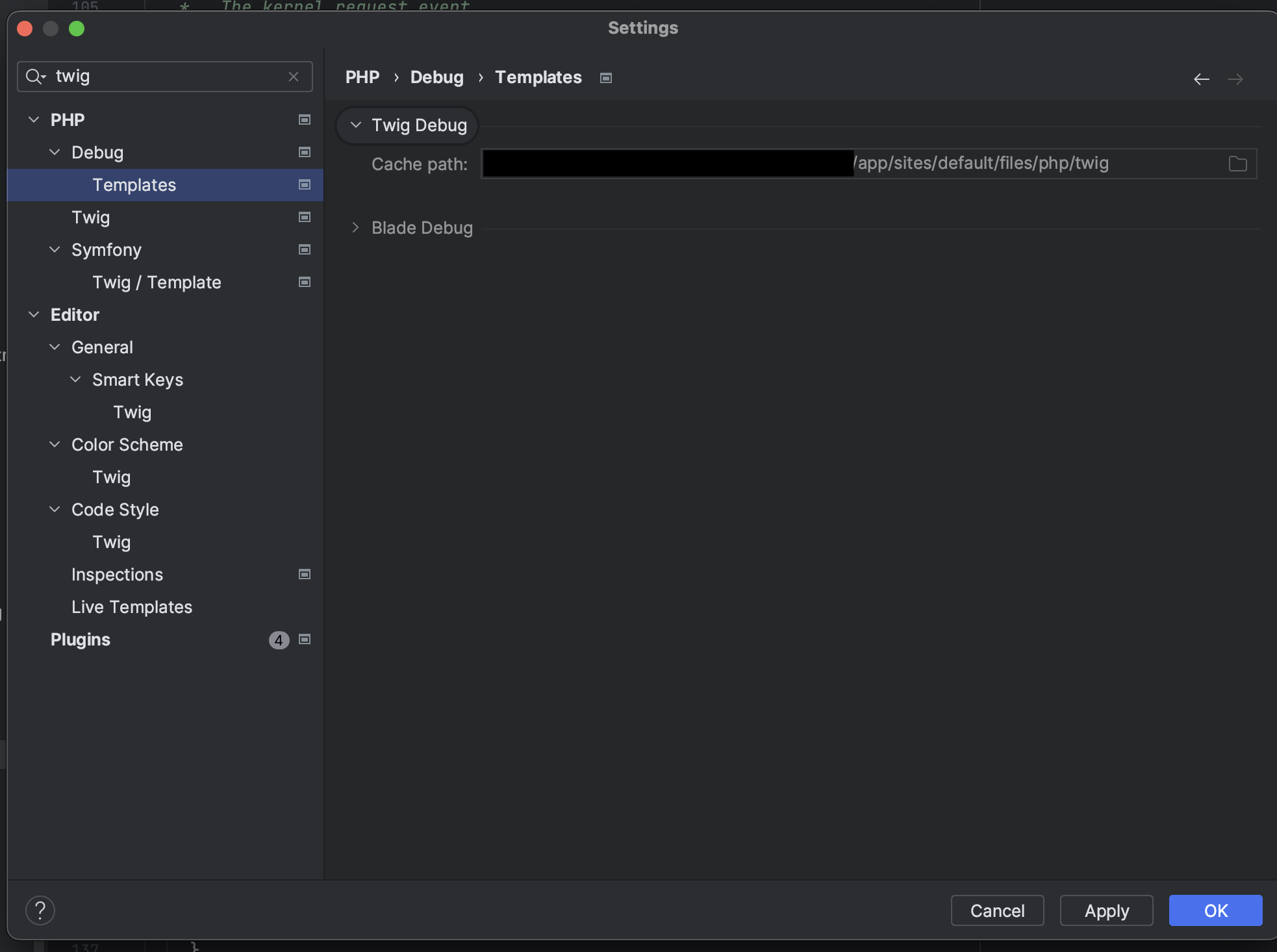
Screenshot of PHPStorm config.

Issue:

While developing a frontend theme you want to debug in a similar fashion as you would do with PHP code in your IDE, including the option to stop code interpretation at certain lines.

Solution:

To enable twig debugging without writing {{ drupal_breakpoint() }} or {{ twig_debug }} into the templates, you can define the Twig cache directory in PHPStorm to tell it, where the compiled templates get written to.

This way, you can then use the "normal" PHP-Debugging feature in Twig-Files by simply adding a breakpoint (red dot) to the twig line where something is executed.

Weitere DevBits

13.11.2025 | Lothar Ferreira Neumann

Use ternary statements in Twig

ternary-example.html.twig
{# Checks if a URL exists and passes it to the component. Otherwise, sets it to false. Works with primitive data types. #}
{% set link = url ? { url: url } : false %}

{# Checks if the media object is not empty and passes it to the component. Otherwise, sets it to false. Suitable for complex data types like objects. #}
{% set media = media is not empty ? { media: media } : false %}
05.10.2026 | Pascal Crott

How to add an element to an array at the first position in Twig

add-to-first-position.twig
{# The elements array we want to add a '0' to at the beginning. #}
{% set elements = ['1', '2', '3'] %}
{# Working: Merge elements to a new array and override the variable. The result will be ['0', '1', '2', '3']. #}
{% set elements = ['0']|merge(elements) %}
{# Not working: The result will be ['1', '2', '3', '0']. #}
{% set elements = elements|merge(['0']) %}