Direkt zum Inhalt

Devbits

Kleine Code-Schnipsel aus unserem Alltag mit Drupal, PHP und DevOps: Problem, Lösung, Code.

05.10.2026 | Lothar Ferreira Neumann

Replace Tagify CDN-loaded contrib library with a local npm asset in Drupal

A contrib module (in this example, Tagify) declares its JavaScript library with type: external, loading it from a third-party CDN such as cdnjs.cloudflare.com. However, for privacy and digital sovereignity reasons we want to reduce the amount of data potentially being exchanged with an external…

composer require npm-asset/yaireo--tagify:4.35.4
/**
 * Implements hook_library_info_alter().
 *
 * The tagify module loads Tagify from cdnjs.cloudflare.com. Serve it from
 * npm-asset/yaireo--tagify in /libraries instead, so no request reaches a
 * third party and the widget keeps working behind restrictive firewalls.
 */
function my_module_library_info_alter(array &$libraries, string $extension): void {
  if ($extension !== 'tagify') {
    return;
  }

  // Assigning replaces the CDN entries. The npm package ships an unminified
  // UMD build and no *.min.css; Drupal aggregates them either way.
  $libraries['tagify']['js'] = [
    '/libraries/yaireo--tagify/dist/tagify.js' => ['minified' => FALSE],
  ];
  $libraries['tagify']['css']['component'] = [
    '/libraries/yaireo--tagify/dist/tagify.css' => ['minified' => FALSE],
  ];
  $libraries['tagify_polyfils']['js'] = [
    '/libraries/yaireo--tagify/dist/tagify.polyfills.min.js' => ['minified' => TRUE],
  ];

  unset($libraries['tagify']['remote'], $libraries['tagify_polyfils']['remote']);
}

Issue

A contrib module (in this example, Tagify) declares its JavaScript library with type: external, loading it from a third-party CDN such as cdnjs.cloudflare.com. However, for privacy and digital sovereignity reasons we want to reduce the amount of data potentially being exchanged with an external provider like Cloudflare.

Prerequisites

  • Composer with the npm-asset repository configured, or composer/installers plus oomphinc/composer-installers-extender for asset packages
  • An affected contrib module (in this example, the Tagify module)

Solution

How to find external libraries? Check out this DevBit!

composer require npm-asset/yaireo--tagify:4.35.4 pulls the library from npm via the npm-asset Composer repository, placing it under /libraries where Drupal's library system expects locally vendored assets.

hook_library_info_alter() is the key mechanism that rewires the library definition without patching the contrib module. Reassigning $libraries['tagify']['js'] and ['css']['component'] replaces the CDN-hosted files with paths into /libraries/yaireo--tagify/dist/. Crucially, unset($libraries['tagify']['remote'], ...) removes the remote key – without this, Drupal still treats the library metadata as pointing to an external library, even though the file paths were changed.

Further information

Use the CDN fetcher module to automatically save external libraries in your Drupal project. This reduces the amount of externally loaded assets.

06.08.2026 | Lothar Ferreira Neumann

Change custom text field sizes in Gin Backend Theme using Asset Injector

A custom text input field might appear too large in Gin. Our example uses an ID field which will usually never be filled with more than ~7 characters.

To alter the node ID field (nid) of our content view we add this to the file:

/* Views exposed filter: appropriate field widths */
.views-exposed-form #edit-nid {
  max-width: 10ch;
}

Issue:

A custom text input field might appear too large in Gin. Our example uses an ID field which will usually never be filled with more than ~7 characters.

Prerequisites:

Our solution uses the Asset Injector module. This module can be useful for small additions to backend theming. However, there may be cleaner solutions to this, e.g. extending Gin for your project with some custom CSS, defining a custom field type, and more. 

Solution:

Adjust the width of specific Views exposed filter fields using CSS through Asset Injection. This keeps short numeric fields like Node ID compact and improves the layout of the exposed filter form. We are using the Gin backend theme in this example. You can access the asset injector for Gin here:
/admin/config/development/asset-injector/css/gin

Please note:

Don't use Asset Injector for altering a frontend theme.

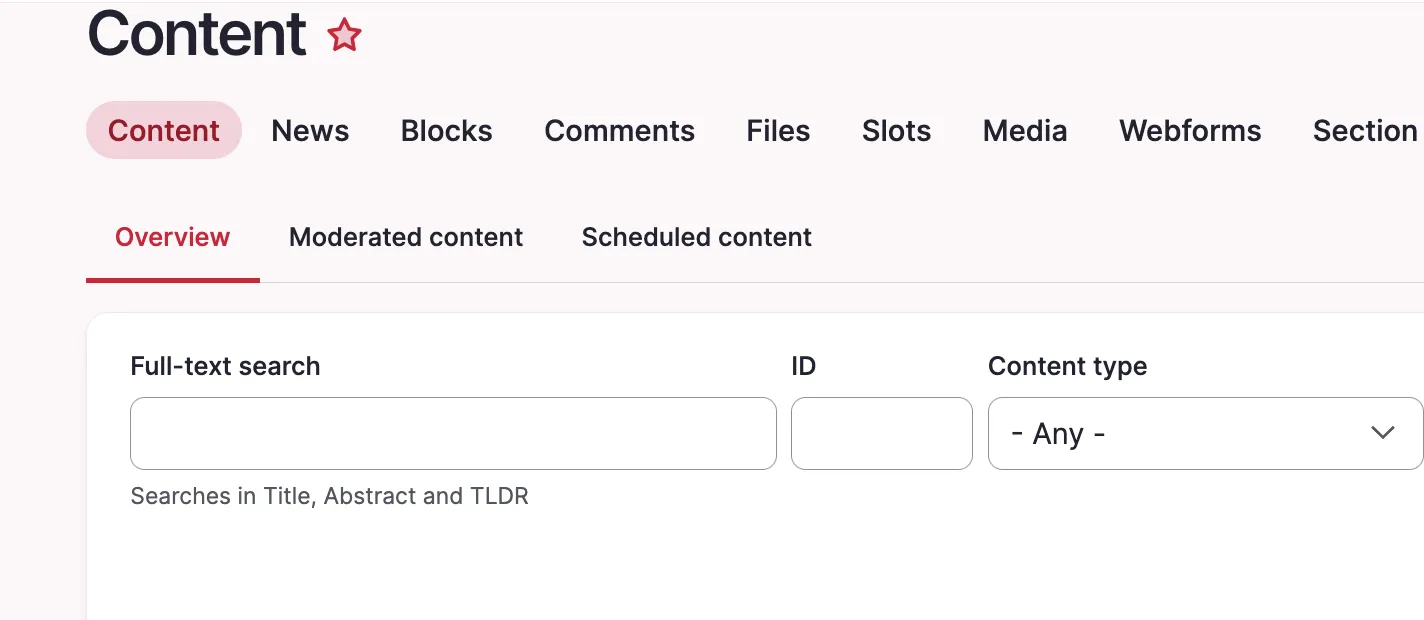
Before:

Screenshot of the content view with long nid field.

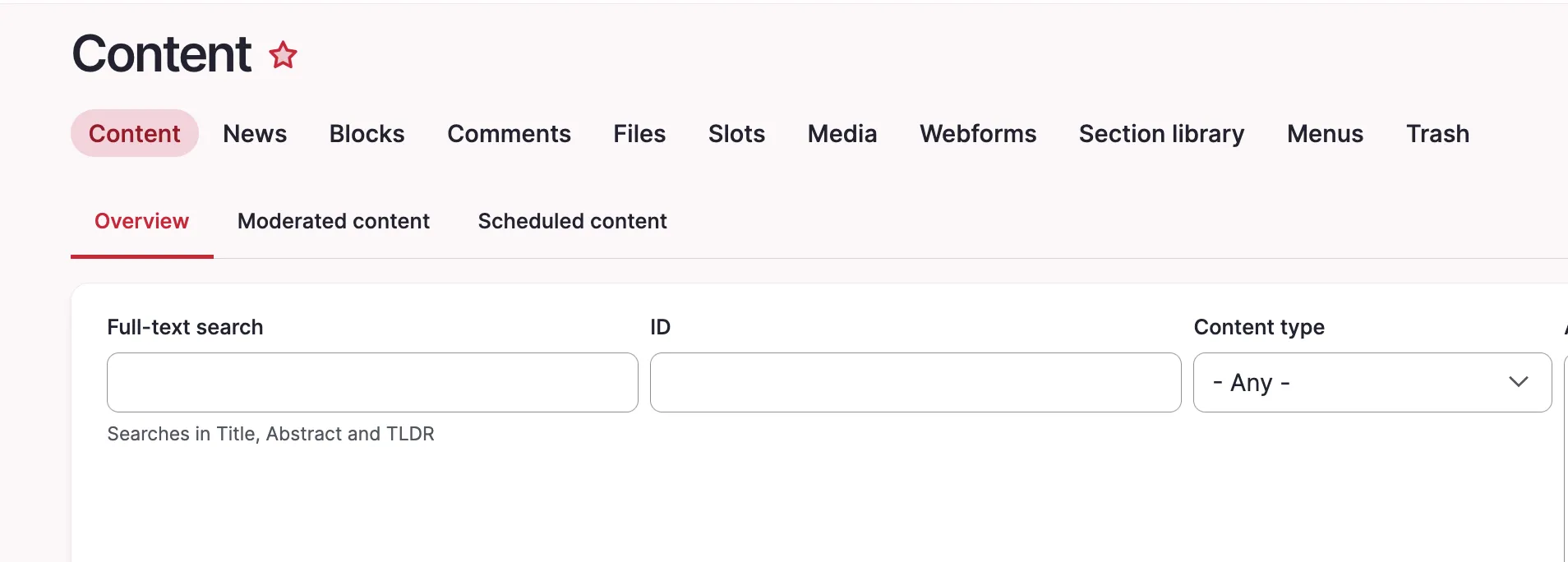
After:

Content view with short nid field

Quick note how to get the right ID for the CSS file, in our case #edit-nid:
The ID of the field is shown in the inspector