Change custom text field sizes in Gin Backend Theme using Asset Injector
To alter the node ID field (nid) of our content view we add this to the file:
Issue:
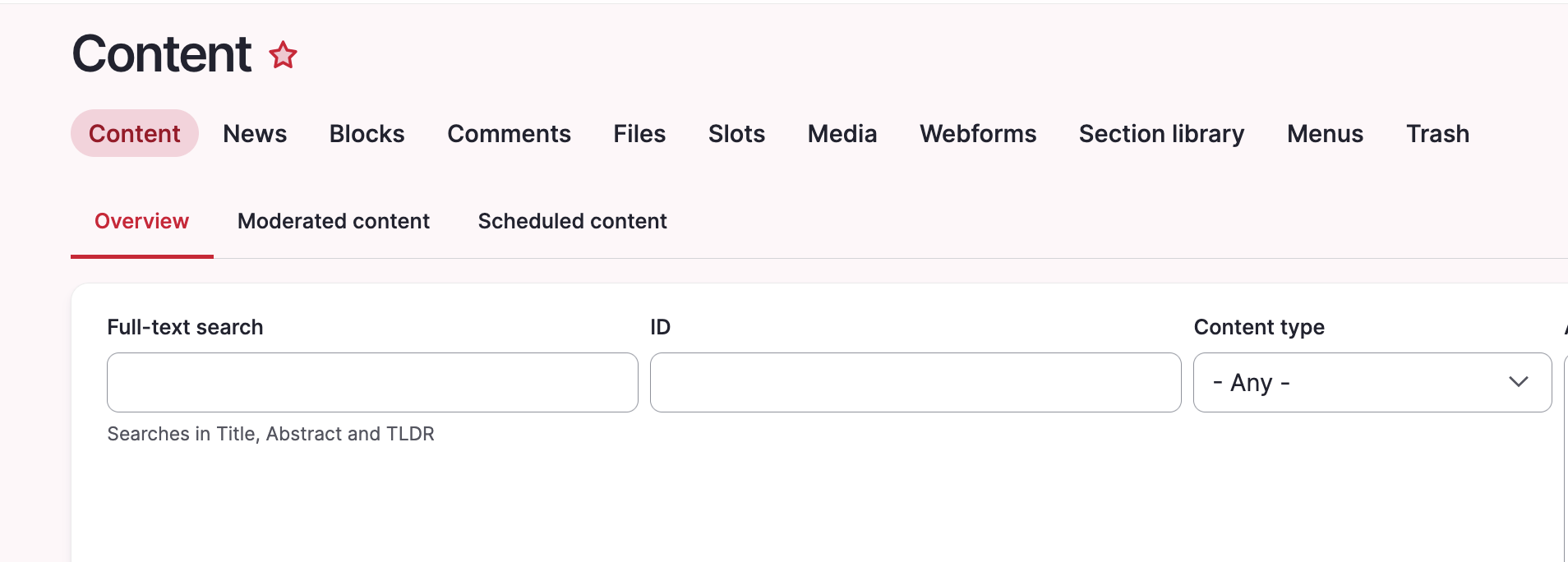
A custom text input field might appear too large in Gin. Our example uses an ID field which will usually never be filled with more than ~7 characters.
Prerequisites:
Our solution uses the Asset Injector module. This module can be useful for small additions to backend theming. However, there may be cleaner solutions to this, e.g. extending Gin for your project with some custom CSS, defining a custom field type, and more.
Solution:
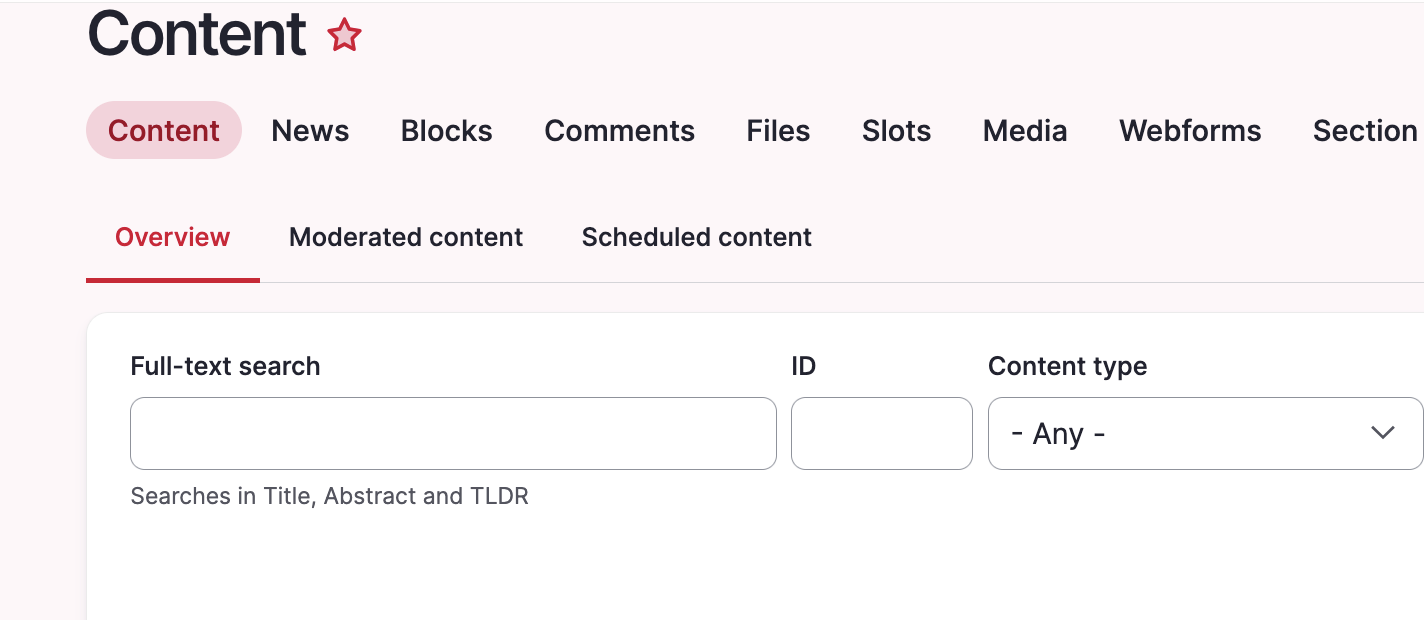
Adjust the width of specific Views exposed filter fields using CSS through Asset Injection. This keeps short numeric fields like Node ID compact and improves the layout of the exposed filter form. We are using the Gin backend theme in this example. You can access the asset injector for Gin here:/admin/config/development/asset-injector/css/gin
Please note:
Don't use Asset Injector for altering a frontend theme.
Before:
After:
Quick note how to get the right ID for the CSS file, in our case #edit-nid: