How to enable Twig debug in Drupal
Issue:
You work with Twig templates and need to use the debugger.
Solution:
Code solution:
Enable Twig debug by copying the snippet provided from root/web/sites/default.services.yml into root/web/sites/development.services.yml
See also: Drupal Docs on Twig
Sitebuilding solution:
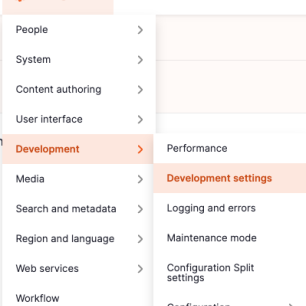
Navigate to the administrative area via the admin toolbar to Configuration -> Development -> Development settings or via the path /admin/config/development/settings
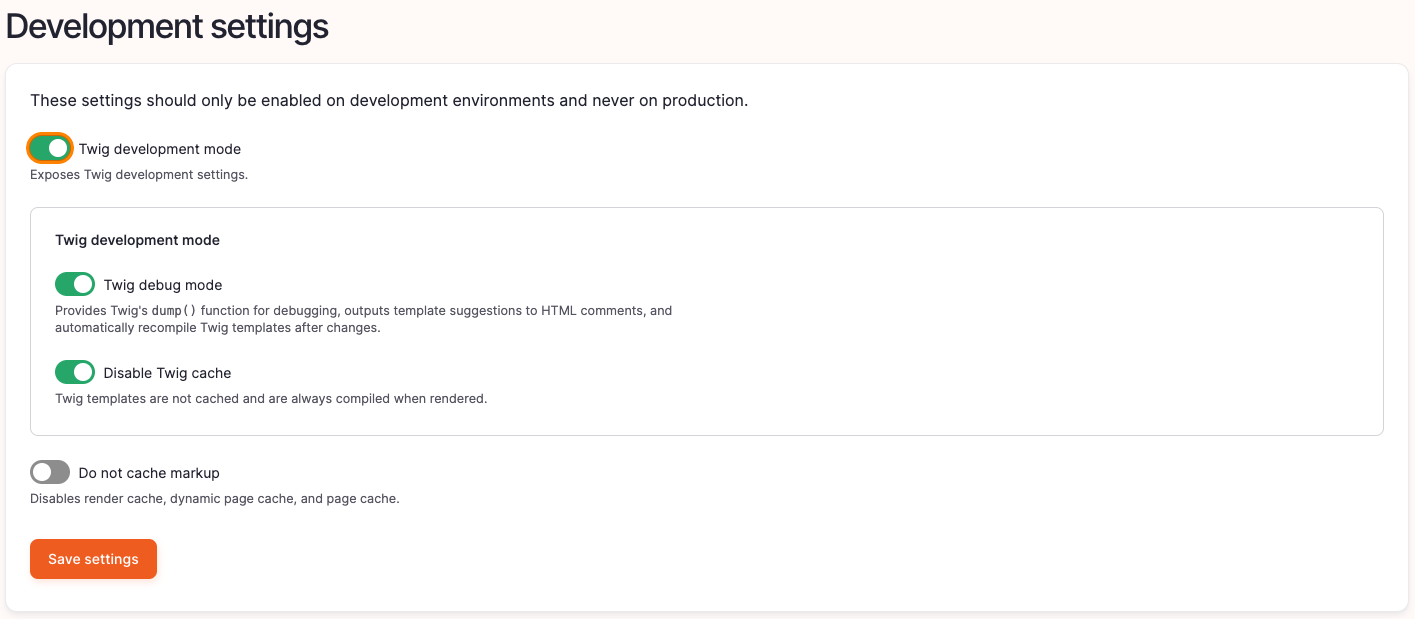
Enable the checkbox Twig development mode, as well as Twig debug mode and Disable Twig cache.
For further information regarding Drupal and Twig take a look at https://www.drupal.org/docs/develop/theming-drupal/twig-in-drupal/debugging-twig-templates
Info
This should only be used for local development environments but disabled in production.