Jira: Prevent customers from reopening closed software tickets
Restricting transitions in Jira is possible. Open the DevBit for a full guide.
Issue:
Clients may tend to understand and use issue workflows differently than the person who defined them intended. A specific issue we encountered was this:
- A Git merge request is bound to a ticket and at some point it will be merged into the develop and main branches (including the live deployment)
- Clients might discover something they didn't see during testing. This can lead them to reopen the ticket if the workflow allows it, and explain their new findings. An understandable impulse. But from a developer's point of view, the code is merged. We need a follow-up.
Prerequisites:
Jira Cloud with at least the "Standard" tier. We use custom workflows, groups/roles, and automation.
Solution:
Part 1: Prevent unwanted workflow transitions but keep them available for your team if necessary.
Create a custom workflow and make sure your relevant software projects use it. Workflows can be created and edited via: your.atlassian.domain/jira/settings/issues/workflows. Our software development workflow looks like this:
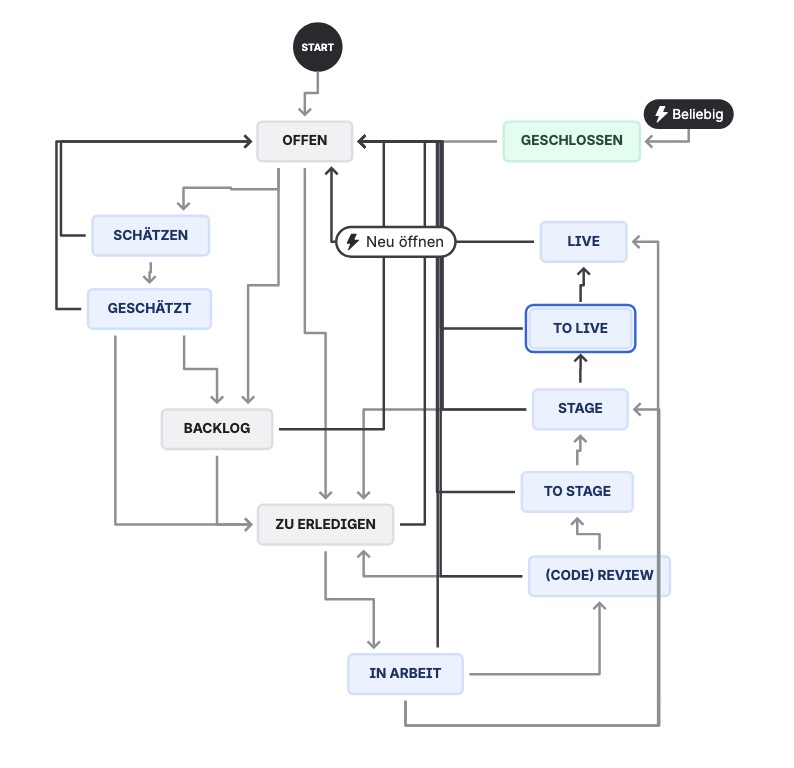
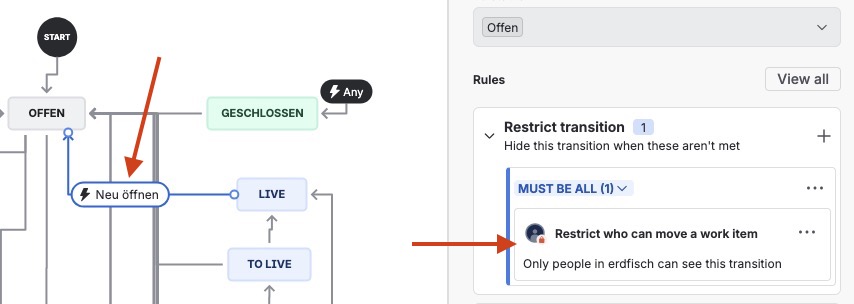
As you can see, "OFFEN" (Open) is not available from every status. However, it is possible to reopen tickets from some status such as "TO LIVE", "LIVE", and even "GESCHLOSSEN" (Closed). We limit these transitions to certain roles. Click the transition and watch out for the restrict option in the sidebar:
In this case, I have allowed the entire "erdfisch" group – so all of our colleagues – to use this transition. I'm fairly sure our team knows very well not to misuse it after a ticket has been merged and deployed. In very rare cases, we might need to reopen such a ticket, e.g. if no code has been merged here or some other special situation mandates it. Thus, we don't want to block ourselves here. We could also restrict it to certain project roles if necessary.
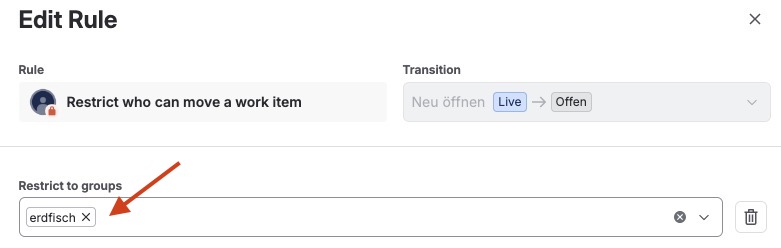
Do this with all transitions that should not be used accidentally or at the wrong time. Save and publish your workflow, make sure the project uses it.
Part 2: Inform your customers.
Just taking something away from them without explaining why is bad practice and not an indicator of good service. To minimise our necessary explanation efforts, we'll create an automation.
Go to your.atlassian.domain/jira/settings/automation for that, then create a new flow.
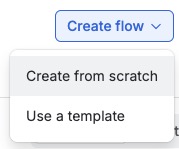
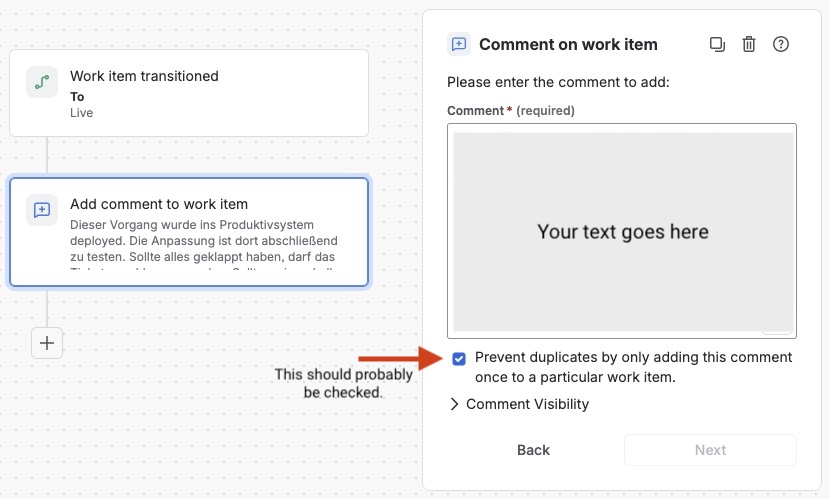
I have created a simple automation that listens to any issue transitioning to the "Live" status:
- Trigger: "Work item transitioned"
- To status: "Live"
- Action: "Add comment to work item"
- Example text: "This change has been deployed to production and should be tested there. If everything works as expected, the ticket may be closed. The code changes initiated by this ticket are now part of the project code. This means, if further work is needed, please create a follow-up ticket."
...or anything that fits your needs better.
Save and activate your automation. Clients will now be informed automatically whenever a ticket goes live. If questions arise, remember to answer them. Good service creates long-lasting customer success.
Tip for saving additional ticket work: I also have an automation which automatically closes tickets that have been "live" for several days, along with a similar automatic explanation. Your workflow might differ though.