First we create a module, lets name it 'gin_login_text'. If you have drush installed, you can generate a module using 'drush generate module'.
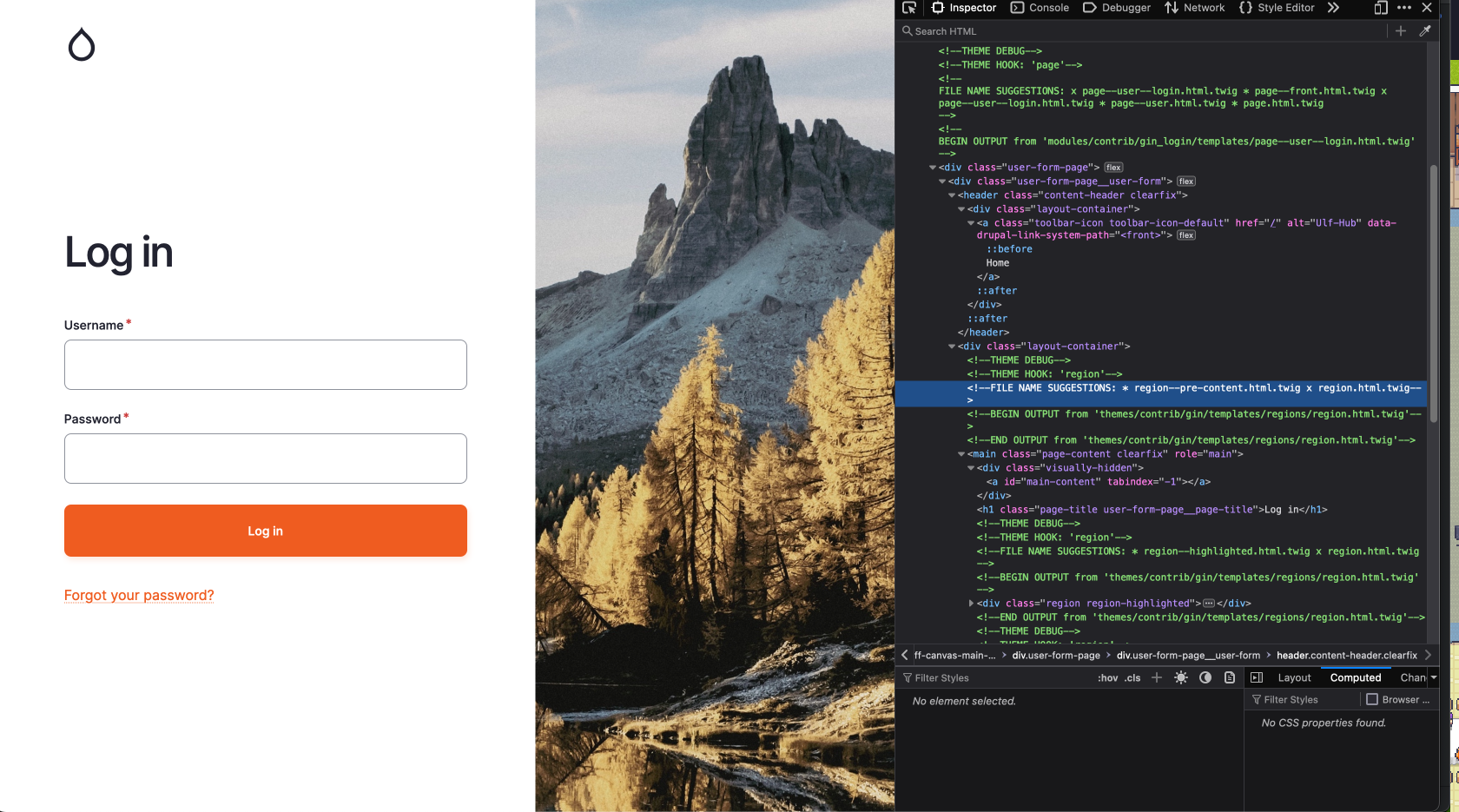
To insert our text into the gin_login we need to find the proper render array. For this we look up the logout screen with the inspector:
In the picture we can see a FILE NAME SUGGESTION: 'region--pre-content.html.twig', thanks to the enabled Twig debug. If we now look into the templates for gin_login we find this:
page--user--login.html.twig
...
    <div class="layout-container">
      {{ page.pre_content|without('claro_primary_local_tasks', 'gin_primary_local_tasks') }}
      <main class="page-content clearfix" role="main">
        <div class="visually-hidden"><a id="main-content" tabindex="-1"></a></div>
        {% block title %}
          <h1 class="page-title user-form-page__page-title">{{ 'Log in'|t }}</h1>
        {% endblock %}
        {{ page.highlighted }}
        {% if page.help %}
          <div class="help">
            {{ page.help }}
          </div>
        {% endif %}
        {{ page.content|without('claro_primary_local_tasks', 'gin_primary_local_tasks') }}
      </main>

    </div>
...
We are interested in the line `{{ page.pre_content ..... }}`
So now we need to put our text into the render array for the page with a hook:
gin_login_text.module
<?php

declare(strict_types=1);

/**
 * @file
 * Implements hooks for gin_login_text.
 */

use Drupal\Core\Url;

/**
 * Implements hook_preprocess_page__user__login().
 */
function gin_login_text_preprocess_page__user__login(&$variables) {
  $config = \Drupal::config('gin_login.settings');

  $variables['page']['pre_content']['login_text']['#tree'] = TRUE;
  $variables['page']['pre_content']['login_text']['text'] = [
    '#type' => 'markup',
    '#format' => $config->get('login_text.text')['format'] ?? 'full_html',
    '#markup' => $config->get('login_text.text')['value'] ?? 'Default Heading Text',
  ];
}
$variables['page']['pre_content']['login_text'][''#tree] = TRUE;
This line is used to enable the nested array structure in a form which we will use to alter the form of gin_login to enter a text.
Last but not least add the dependencies to the info.yml:
gin_login_text.info.yml
name: gin_login_text
type: module
description: Provides a login text for gin_login
package: Custom
core_version_requirement: ^10 || ^11
dependencies:
  - form_decorator:form_decorator
  - gin_login:gin_login
As you already see in the info.yml, we have a dependency on the form_decorator. Using this module, we can decorate the form of gin_login which you can find at `/admin/config/system/configuration/gin-login`. The clue is in the title. Follow the example on the module site at https://www.drupal.org/project/form_decorator.
Your file should look like this:
GinLoginFormDecorator.php
<?php

declare(strict_types=1);

namespace Drupal\gin_login_text\FormDecorator;

use Drupal\Core\Config\ConfigFactoryInterface;
use Drupal\Core\DependencyInjection\DependencySerializationTrait;
use Drupal\Core\Form\FormStateInterface;
use Drupal\Core\Plugin\ContainerFactoryPluginInterface;
use Drupal\Core\StringTranslation\StringTranslationTrait;
use Drupal\form_decorator\FormDecoratorBase;
use Drupal\multivalue_form_element\Element\MultiValue;
use Symfony\Component\DependencyInjection\ContainerInterface;

/**
 * Decorates the gin login form.
 *
 * @FormDecorator(hook = "form_gin_login_form_alter")
 */
final class GinLoginFormDecorator extends FormDecoratorBase implements ContainerFactoryPluginInterface {
  use StringTranslationTrait;
  use DependencySerializationTrait;

  /**
   * Constructs a GinLoginFormDecorator object.
   *
   * @param array $configuration
   *   A configuration array containing information about the plugin instance.
   * @param string $plugin_id
   *   The plugin_id for the plugin instance.
   * @param mixed $plugin_definition
   *   The plugin implementation definition.
   * @param \Drupal\Core\Config\ConfigFactoryInterface $configFactory
   *   The configuration factory.
   */
  public function __construct(
    array $configuration,
    string $plugin_id,
    mixed $plugin_definition,
    protected ConfigFactoryInterface $configFactory,
  ) {
    parent::__construct($configuration, $plugin_id, $plugin_definition);
  }

  /**
   * {@inheritdoc}
   */
  public static function create(ContainerInterface $container, $configuration, $plugin_id, $plugin_definition) {
    return new self(
      $configuration,
      $plugin_id,
      $plugin_definition,
      $container->get('config.factory'),
    );
  }

  /**
   * {@inheritdoc}
   */
  public function buildForm(array $form, FormStateInterface $form_state, ...$args): array {
    $form = $this->inner->buildForm($form, $form_state);
    $config = $this->configFactory->get('gin_login.settings');

    $form['login_text'] = [
      '#type' => 'details',
      '#title' => $this->t('Text'),
      '#open' => TRUE,
      '#tree' => TRUE,
    ];
    $form['login_text']['text'] = [
      '#type' => 'text_format',
      '#title' => $this->t('Text to appear as the login page heading.'),
      '#description' => $this->t('If textfield is left empty no text will be displayed on the login page'),
      '#format' => $config->get('login_text.text')['format'] ?? 'full_html',
      '#default_value' => $config->get('login_text.text')['value'] ?? '',
    ];

    return $form;
  }

  /**
   * {@inheritdoc}
   */
  public function submitForm(array &$form, FormStateInterface $form_state): void {
    $this->inner->submitForm($form, $form_state);
    // Get it editable or else its immutable.
    $config = $this->configFactory->getEditable('gin_login.settings');
    $config->set('login_text.text', $form_state->getValue('login_text')['text']);

    $config->save();
  }

}
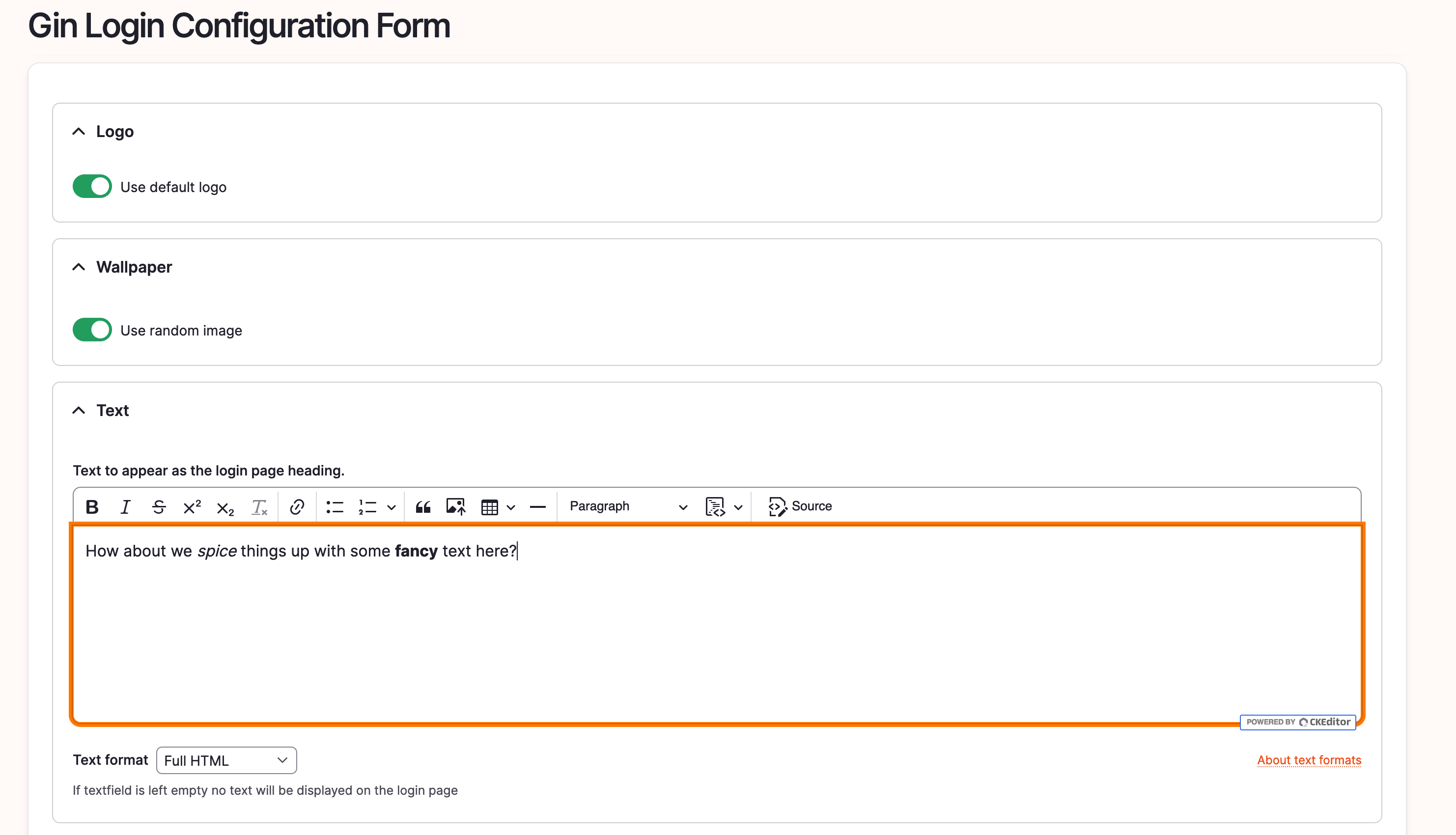
You should now be able to see this at the gin_login configuration under `/admin/config/system/configuration/gin-login`:
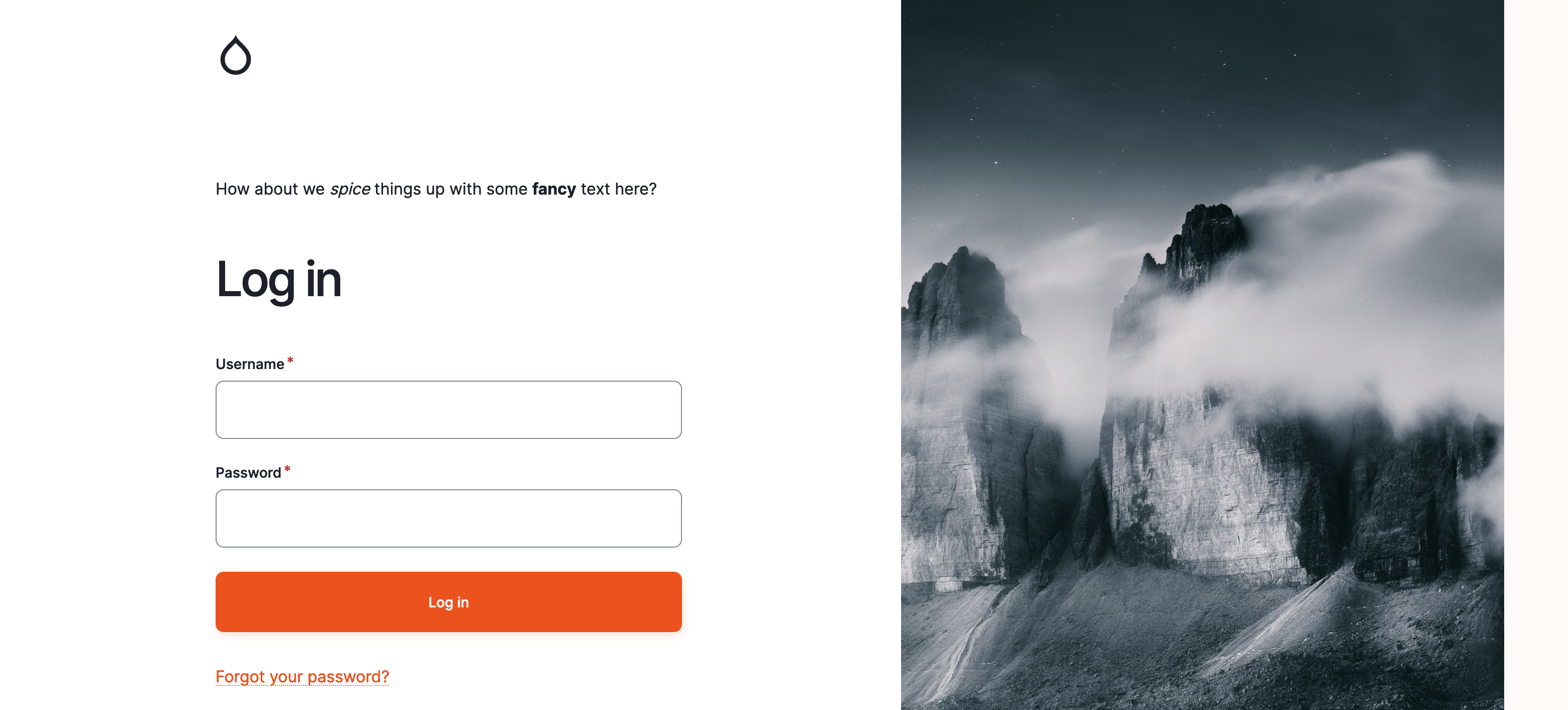
With the text added, even with some bold and italic modifications, let's observe the outcome:
On a site note, there is an issue to tackle that problem, but i wanted to elaborate the form_decorator usage here.
https://www.drupal.org/project/gin_login/issues/3252442
Hopefully this article helped you alter your login site!