16.07.2026 | Lothar Ferreira Neumann

How to translate the Maxlength Countdown message label globally
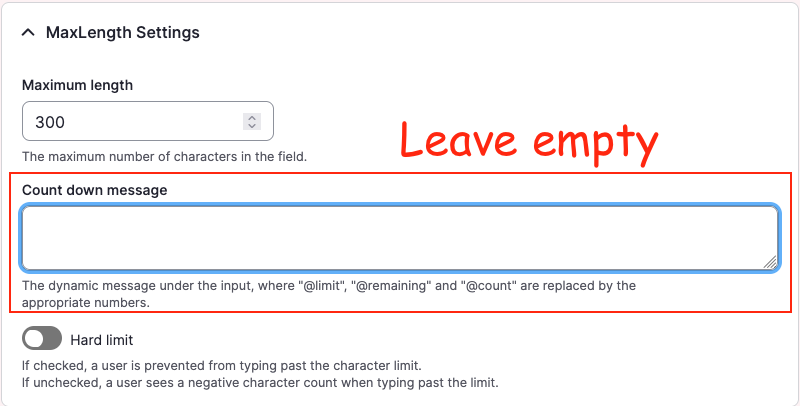
A Drupal backend screenshot showing the "Count down message" field

Leave this field empty to allow for translation via Drupal interface translation.


Example configuration created by enabling Maxlength:

core.entity_form_display.node.article_not_translatable.default.yml
# ...
content:
  field_copyright:
    type: text_textarea
    weight: 3
    region: content
    settings:
      rows: 2
      placeholder: ''
    third_party_settings:
      allowed_formats:
        hide_help: '1'
        hide_guidelines: '1'
      maxlength:
        maxlength_js: null
        maxlength_js_label: 'Content limited to @limit characters, remaining: <strong>@remaining</strong>'
        maxlength_js_enforce: false
# ...

However, the module already contains fallback logic for this label in maxlength.module: 

maxlength.module
$maxlength_js_label = !empty($thirdPartySettings['maxlength']['maxlength_js_label']) ? $thirdPartySettings['maxlength']['maxlength_js_label'] : t('Content limited to @limit characters, remaining: <strong>@remaining</strong>');
$maxlength_js = $thirdPartySettings['maxlength']['maxlength_js'];

Working configuration: empty the label

core.entity_form_display.node.article_translatable.default.yml
# ...
content:
  field_copyright:
    type: text_textarea
    weight: 3
    region: content
    settings:
      rows: 2
      placeholder: ''
    third_party_settings:
      allowed_formats:
        hide_help: '1'
        hide_guidelines: '1'
      maxlength:
        maxlength_js: null
        maxlength_js_label: ''
        maxlength_js_enforce: false
# ...

With the label empty, the module falls back to its internal t() string, which can then be translated normally via the interface translation system.

Issue:

When enabling the soft or hard character limit for a field using the Maxlength module, the module writes a default label into the field widget configuration. Because the label string is written directly into configuration, the fallback string logic is never used. As a result, the label cannot be translated through the Interface Translation system, since Drupal treats it as configuration rather than a translatable interface string.

Solution:

To allow translating the countdown string via the Drupal interface translation, the label must be removed from the configuration so the module fallback is used instead.

  • There is alrady a fix for this problem for the maxlength module on drupal.org.
Weitere DevBits

15.01.2026 | Lothar Ferreira Neumann

How to migrate latitude & longitude geodata into a unified geocode field

geofield_migration.yml
field_geofield:
  plugin: geofield_latlon
  source:
    - field_latitude
    - field_longitude
yml
geodata
Migration
13.11.2025 | Lothar Ferreira Neumann

How to place HTML elements into webforms via the Source tab

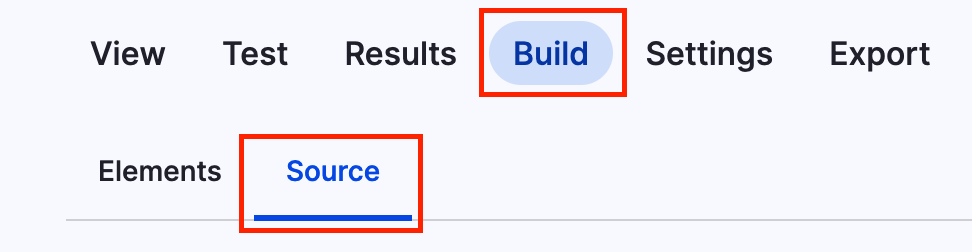
You can add headlines to a webform using the code below. To get to the source section, navigate to the form you want to alter, click on build and then on the source tab like in the screenshot.

Screenshot of the menu to add code to webform

This is just a short example on how to add a headline.

webform_headline.yml
personal_data:
  '#type': html_tag
  '#tag': h3
  '#value': 'Personal data'

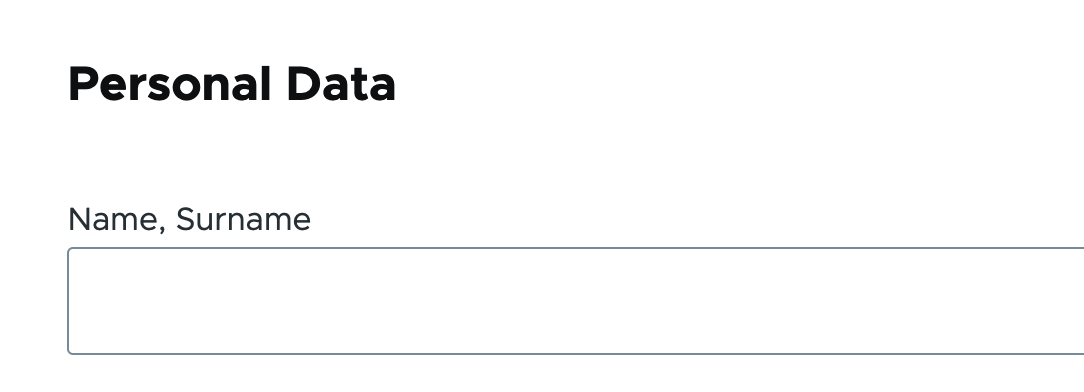
It will look something like this:

Headline within a webform
yml
html
manipulating forms
backend