How to create a <pubDate> date pattern (RFC822) to be used with Views RSS feeds
This snippet is an example config for a date format in Drupal which can be imported.
Change the date format via Sitebuilding
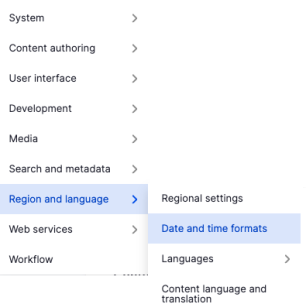
In the administrative menu open Configuration -> Region and language -> Date and time formats or open the path /admin/config/regional/date-time.
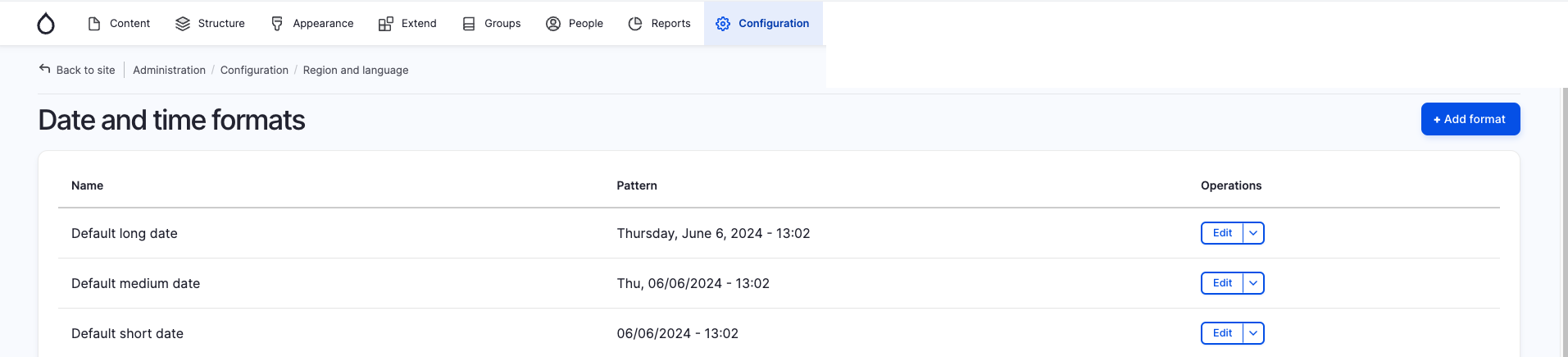
Then use the button "+ Add format".
|
|
Here you can give your new date format a label and enter D, d M Y h:i:s O as a fitting RFC822 <pubDate> format.
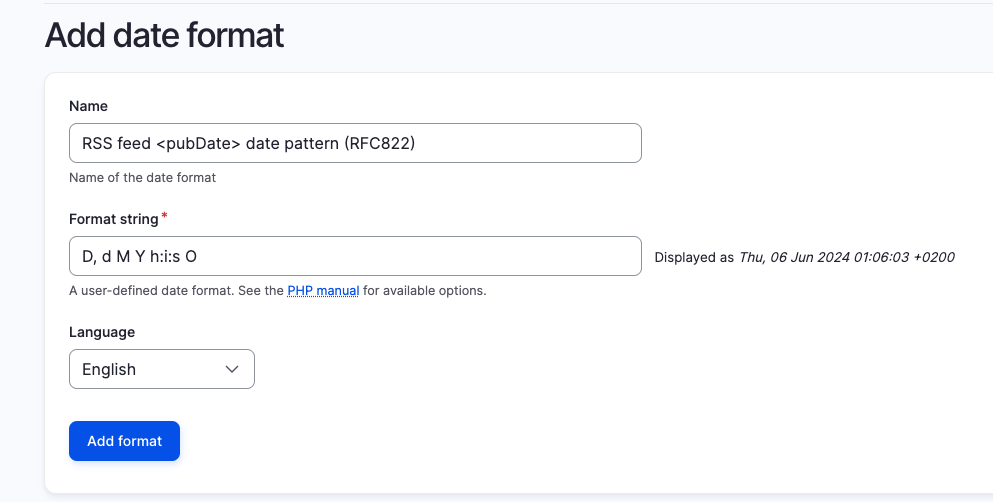
For more information about PHP date format options, see the official PHP documentation.
Issue:
RSS feeds require the date pattern to use RFC-822 format ('D, d M Y h:i:s O' | Wed, 02 Oct 2002 08:00:00 EST). The main problem is that CET (Central European Time) is not supported by this RFC standard so we have to switch to GMT (Greenwich Mean Time) + hhmm to have a valid value.
Solution:
Switch to GMT (Greenwich Mean Time) + hhmm to have a valid value.