time and date

Example for a single datetime field

my_single_datetime_field.php
use Drupal\Core\Datetime\DrupalDateTime;

/** @var Drupal\Core\Datetime\DateFormatterInterface $date_formatter */
$date_formatter = \Drupal::service('date.formatter');

// Get DateTime object from stored date from a DateTimeFieldItemList field.
$my_date = $node->field_my_date->date;

// Get unix timestamp.
$my_date_timestamp = $my_date->getTimestamp();

// For formatting your DateTime object all other arguments are optional:
// See DateFormatterInterface for built-in options, or use machine name of a date format in config.
$type = 'medium';
// Custom PHP date format if $type="custom".
$format = '';

$formatted = $date_formatter->format($my_date_timestamp, $type, $format, $timezone = NULL, $langcode = NULL);


Example for a daterange field

my_datetime_range_field.php
use Drupal\Core\Datetime\DrupalDateTime;

/** @var Drupal\Core\Datetime\DateFormatterInterface $date_formatter */
$date_formatter = \Drupal::service('date.formatter');

// Get DateTime objects from stored date from a DateTimeFieldItemList field.
$start_date = $node->field_my_date->start_date;
$end_date = $node->field_my_date->end_date;

// For formatting your DateTime object all other arguments are optional:
// See DateFormatterInterface for built-in options, or use machine name of a date format in config.
$type = 'medium';
// Custom PHP date format if $type="custom".
$format = '';

$start_date_formatted = $date_formatter->format($start_date, $type, $format, $timezone = NULL, $langcode = NULL);
$end_date_formatted = $date_formatter->format($end_date, $type, $format, $timezone = NULL, $langcode = NULL);

default_date_value.php
public static function getDefaultDate() {
  $end_date = new DrupalDateTime();
  $end_date->setTime(23, 59, 59);
  $timezone = new DateTimeZone('UTC');
  $end_date->setTimezone($timezone);
  return $end_date->format('Y-m-d\TH:i:s');
}

field.field.node.mycontenttype.field_date.yml
default_value_callback: '\Drupal\my_custom_module\Entity\DefaultDateValue::getDefaultDate'

 This snippet is an example config for a date format in Drupal which can be imported.

rss_feed_date_format.yml
langcode: en
status: true
dependencies: {  }
id: rss_feed_date_format
label: RFC822
locked: false
pattern: 'D, d M Y h:i:s O'


Change the date format via Sitebuilding
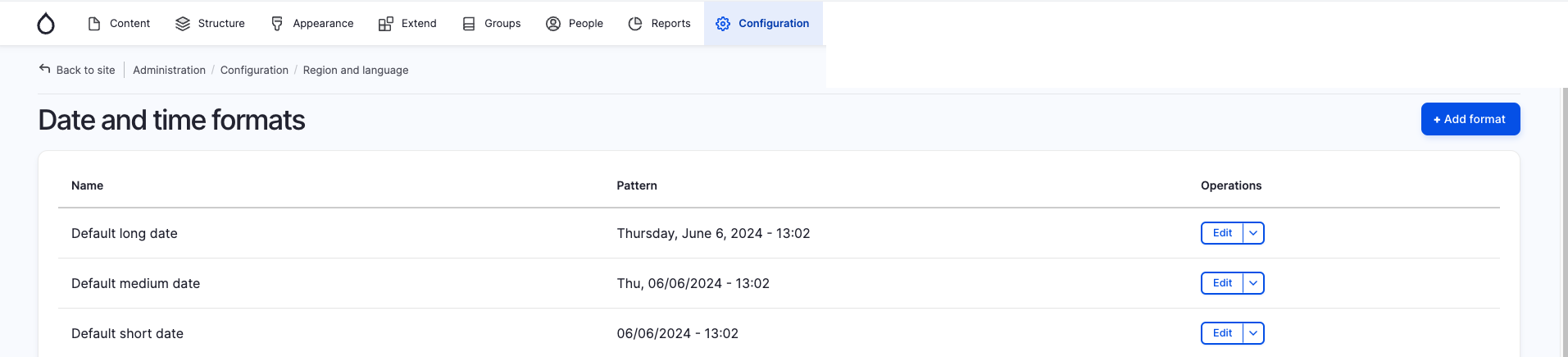
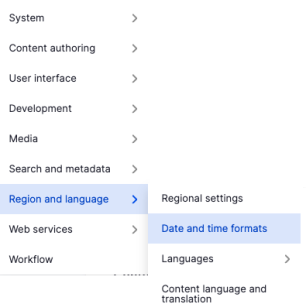
In the administrative menu open Configuration -> Region and language -> Date and time formats or open the path /admin/config/regional/date-time.
Then use the button "+ Add format".
Sitebuilding date format 1


Sitebuilding date format 2
  

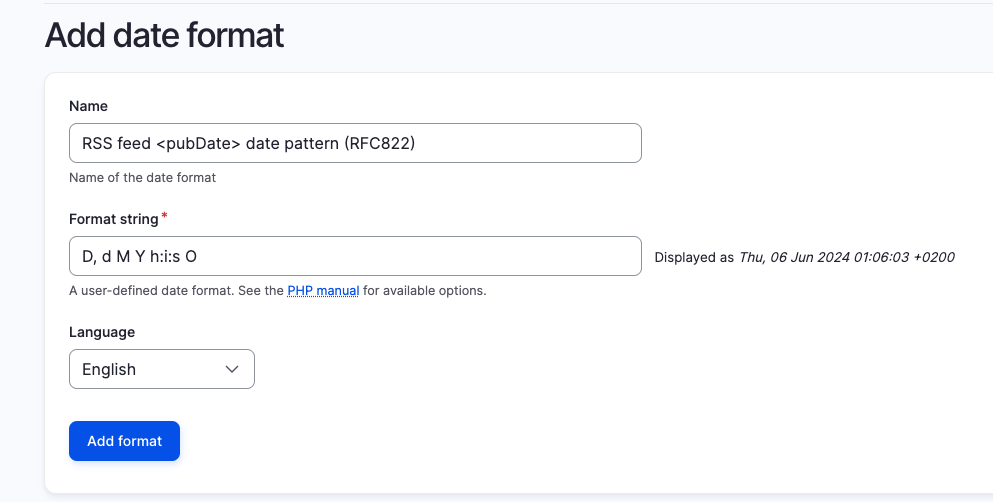
Here you can give your new date format a label and enter D, d M Y h:i:s O as a fitting RFC822 <pubDate> format.
Sitebuilding date format 3

For more information about PHP date format options, see the official PHP documentation.